Juniper MX routing-engine failover configuration
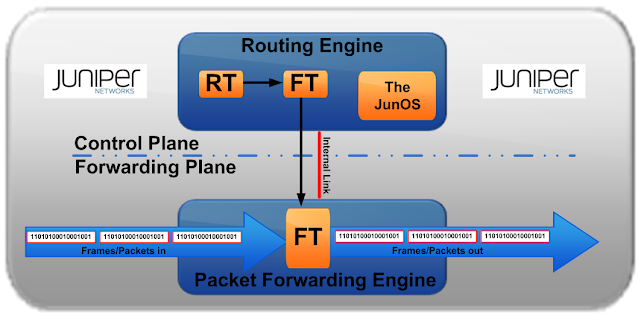
Having recently worked on a project that incorporated this functionality, here is a sample configuration for Juniper MX routing engine failover:
Configuration
{master}
tema@mx-router> show configuration | find redundancy
redundancy {
routing-engine 0 master;
routing-engine 1 backup;
graceful-switchover {
apply-groups [ re0 re1 ];
}
}
routing-engine {
on-disk-failure disk-failure-action reboot;
}
fpc 1 {
pic 0 {
max-queues-per-interface 8;
}
pic 1 {
max-queues-per-interface 8;
}
}
}
{backup}
tema@mx-router> show configuration | find redundancy
redundancy {
routing-engine 0 master;
routing-engine 1 backup;
graceful-switchover {
apply-groups [ re0 re1 ];
}
}
routing-engine {
on-disk-failure disk-failure-action reboot;
}
fpc 1 {
pic 0 {
max-queues-per-interface 8;
}
pic 1 {
max-queues-per-interface 8;
}
}
}
1. To switch manual switch from master to backup, RE0(Master-slot0) to RE1(Backup-slot1)
From the console on RE0(master):
tema@mx-router> request chassis routing-engine master switch
2. Force to synchronize between RE0 and RE1
tema@mx-router# commit synchronize
3. Status of routing-engine redundancy
tema@mx-router> show chassis routing-engine
Routing Engine status:
Slot 0:
Current state Master
Election priority Master (default)
Temperature 40 degrees C / 82 degrees F
DRAM 2048 MB
Memory utilization 14 percent
CPU utilization:
User 0 percent
Background 0 percent
Kernel 3 percent
Interrupt 0 percent
Idle 97 percent
Model RE-3.0
Serial ID Pxxxxxxx
Start time 2016-04-15 18:45:12 UTC
Uptime 36 days, 3 hours, 56 minutes, 8 seconds
Routing Engine status:
Slot 1:
Current state Backup
Election priority Backup (default)
Temperature 27 degrees C / 78 degrees F
DRAM 2048 MB
Memory utilization 10 percent
CPU utilization:
[...deleted...]
4. Successive routing-engine switchovers must be a minimum of 240 seconds (4 minutes) apart after both routing-engines have come up. So, once RE1 has become master, allow 4 minutes before switching back to RE0 as master.
5. To verify that Graceful RE Switchover is enabled, on the backup Routing Engine, issue the show system switchover command:
tema@mx-router> show system switchover
Graceful switchover: On
Configuration database: Ready
Kernel database: Ready
Peer state: Steady state
Configuration database: Ready
Kernel database: Ready
Peer state: Steady state


Comments
Post a Comment